
Edit faster in Premiere Pro and After Effects
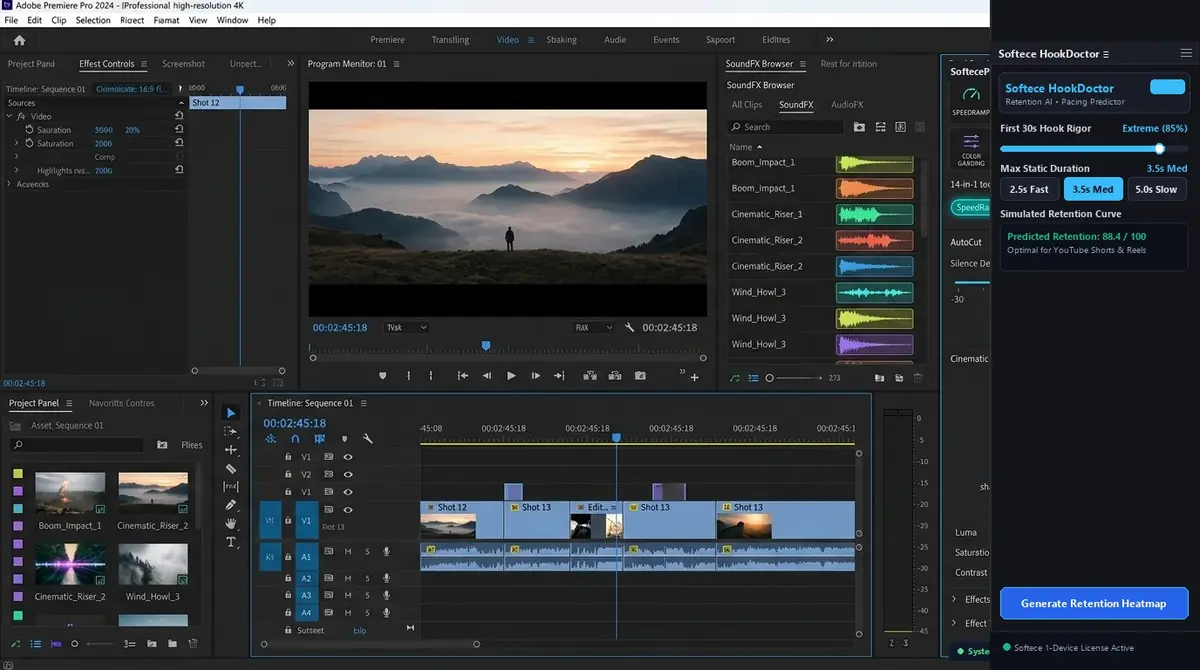
Small, focused plugins for captions, retention, audio clean-up, motion and everyday workflow. Buy once, get your key by email and start in minutes.
- bKash, Nagad, Rocket or Binance
- Key and download by email
- 1, 3 or 10 PCs
All plugins
Loading the catalogue…
How buying works
No account needed. Everything happens in one short checkout.
Choose a plugin
Pick how many PCs you need: 1, 3 or 10. More PCs cost less per PC.
Send the payment
Use bKash, Nagad or Rocket Send Money, or Binance Pay, to the number shown at checkout.
Enter the TrxID
Type the transaction ID from your payment SMS. We check it by hand.
Get your key
Your licence key and download link appear on screen and arrive by email.
Install in three steps
Works with Premiere Pro and After Effects (CEP panels).
Windows (quickest)
- Download your plugin from the link in your licence email and put the
.zxpfile in one folder with the installer below. - Right-click
Softece_Auto_Installer.bat→ Run as administrator. It turns on Adobe extension loading and copies the plugin to%APPDATA%\Adobe\CEP\extensions. - Restart Premiere Pro or After Effects, open Window → Extensions, choose the plugin and paste your licence key.
Mac or manual install
- Install the
.zxpwith a ZXP installer app (for example ZXPInstaller or Anastasiy's Extension Manager). - Restart the Adobe app and open the plugin from Window → Extensions.
- Changed computer? Open My licences and press Free my PCs, then activate on the new PC.
Questions
How long until I get my key?
We check every payment by hand. As soon as it is confirmed, the key appears in the checkout window and in your email, usually within minutes during the day.
Can I use one licence on more than one computer?
A 1-PC licence works on one computer at a time. Buy 3 or 10 PCs to use it on more computers at the same time.
I changed my computer. What now?
Sign in to My licences with your email and press "Free my PCs". Then open the plugin on the new computer and paste your key.
Does the licence expire?
No. You pay once and the licence keeps working.
I lost my key or download link.
Open My licences, enter the email you ordered with and we send you a sign-in code. All your keys and downloads are there.